
If you’re currently undergoing your industrial training or have just completed it, filling your SIWES logbook can feel like one of the most stressful parts of the entire experience.
After spending long hours at your training facility, the last thing you want is to stare at an empty logbook, trying to remember everything you did over the past few days or weeks.
Writing clear, objective daily entries that accurately capture your learning experience isn’t always easy. Fortunately, you don’t have to do it all manually.
At Academ AI by Peaciva, we’ve built a free AI-powered SIWES logbook generator that automatically creates personalised daily logbook entries based on your industrial training experience, regardless of your course of study or department.
The tool is designed around the standard SIWES logbook format commonly used across Nigerian universities and polytechnics, making it easier to document your training activities accurately.
This guide walks you through how to fill your SIWES logbook using our free SIWES logbook generator, from creating an account to exporting your completed entries.
Let’s get started.
Going for SIWES? Don’t write the report from scratch.
Generate a complete SIWES/IT logbook report tailored to your company, department, and training period. Properly formatted and ready to submit.
Generate SIWES Report →#1 Create an Account to Access the SIWES Logbook Generator
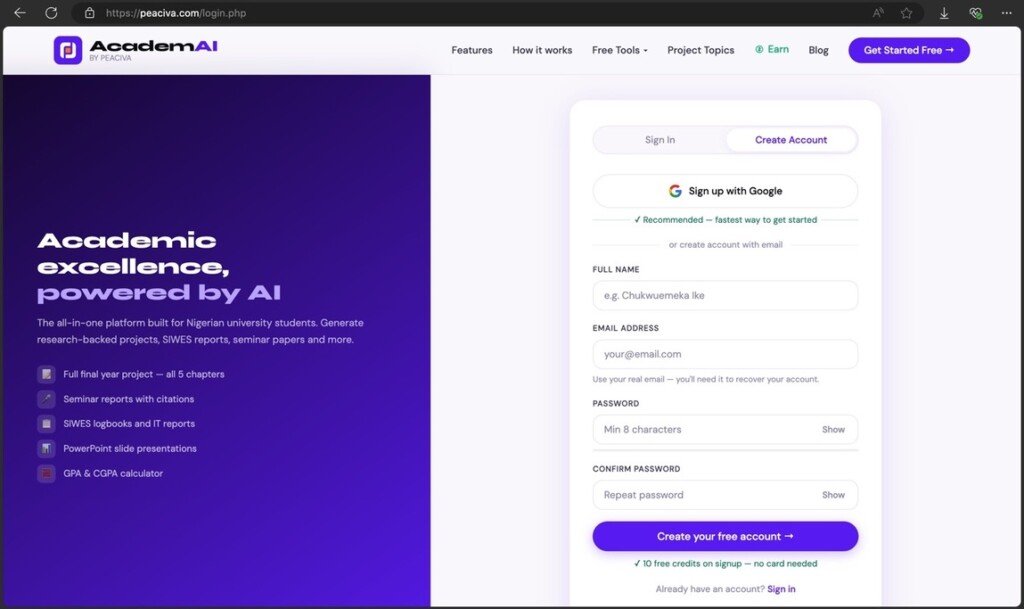
If you don’t already have an Academ AI by Peaciva account, head to our login page and create one for free using your email address or your Google account.
If you already have an account, log in and proceed to the next step.
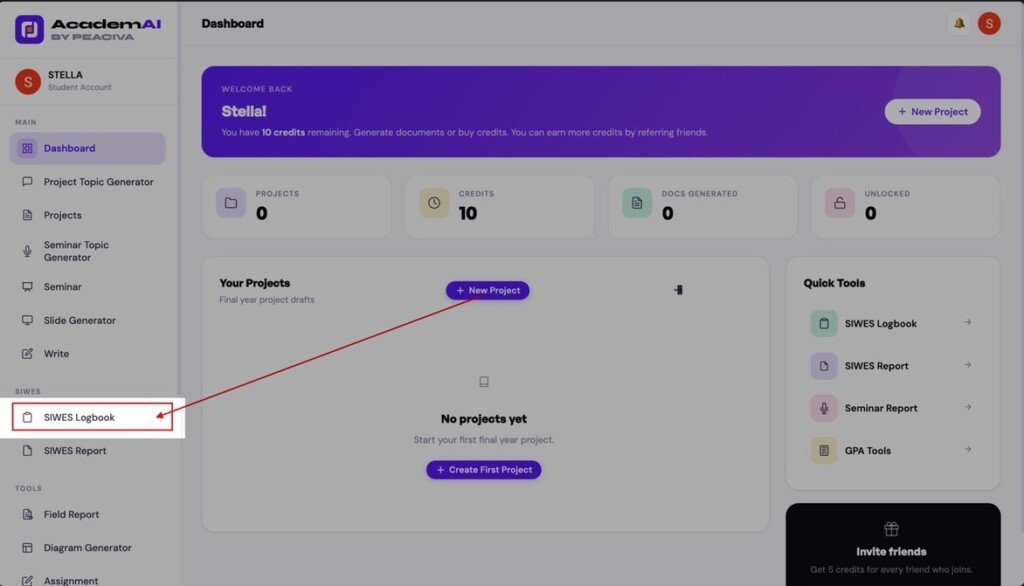
#2 Navigate to the SIWES Logbook Generator
After creating your account, you’ll be redirected to your dashboard, where you can access the SIWES logbook generator and other AI tools, including the AI Final Year Project Writer and SIWES Report Generator.
From the sidebar, click “SIWES Logbook” to open the tool.
If you’re using a mobile device, tap the hamburger menu in the top-left corner of the dashboard or scroll down to the Quick Tools section to access the SIWES Logbook Generator.
#3 Generate Your SIWES Logbook Entries
The quality of your generated entries depends on the information you provide. The more accurately you describe your industrial training experience, the more personalised and realistic your logbook entries will be.
Our AI logbook generator creates detailed daily entries that reflect your practical training activities throughout your industrial attachment.
For the most accurate results, provide the following information:
- Your company or organisation’s name.
- Your supervisor’s name.
- Your training period.
- Your department or unit of placement.
- A detailed overview of your SIWES activities.
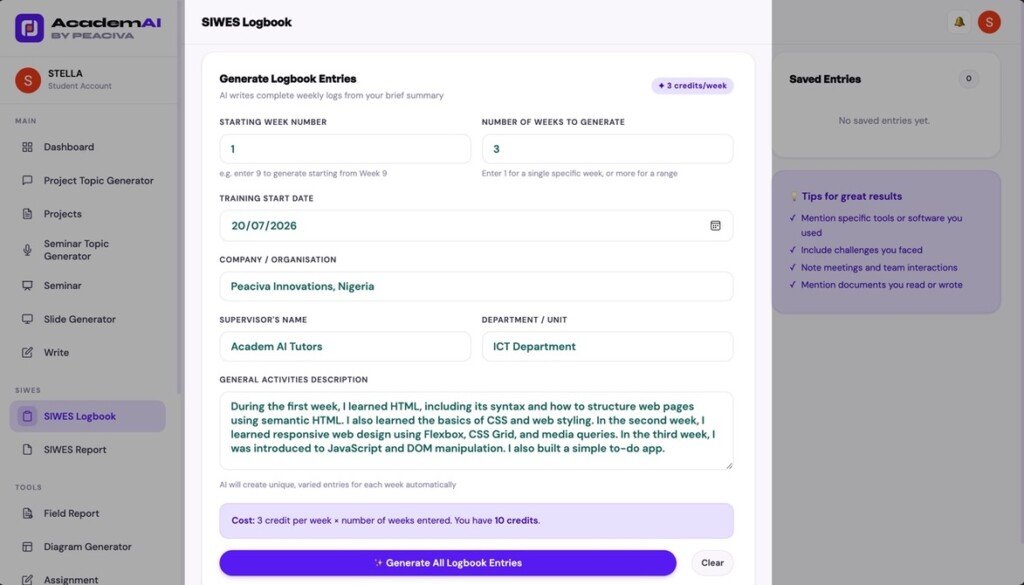
The more context you provide about your responsibilities, the better the generated entries will reflect your actual training experience.
Once you’ve reviewed your responses, click “Generate All Logbook Entries” to begin.
Every new user receives 10 free credits and generating one week of logbook entries costs 3 credits.
#4 Understanding Your Generated SIWES Logbook Entries
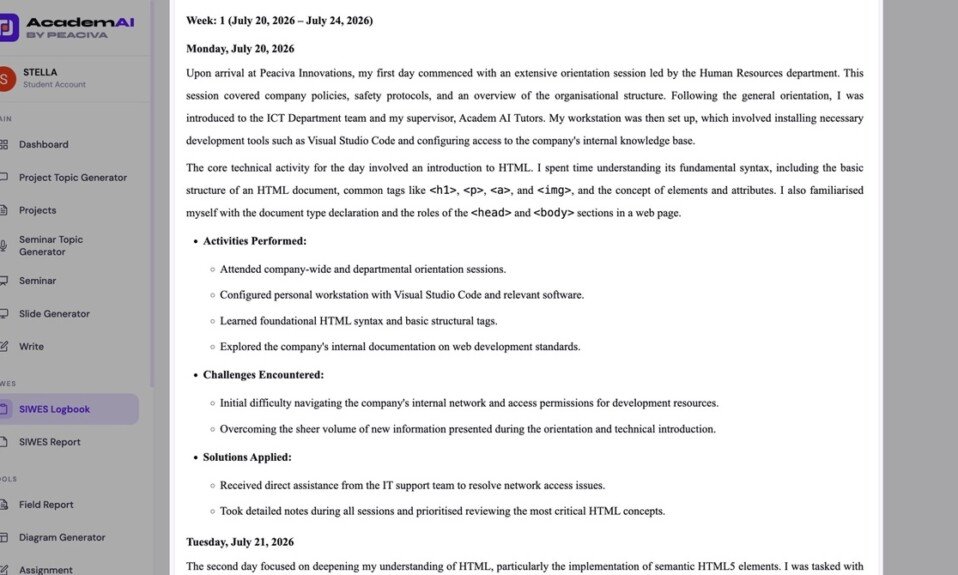
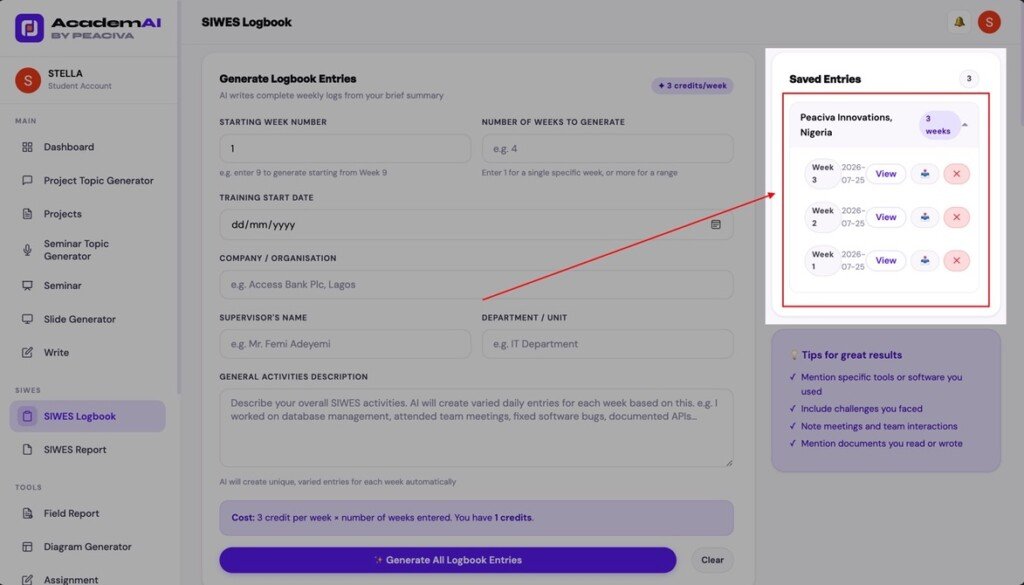
Within a few minutes, the AI-powered SIWES logbook generator creates daily entries organised into weekly sections based on the duration you selected.
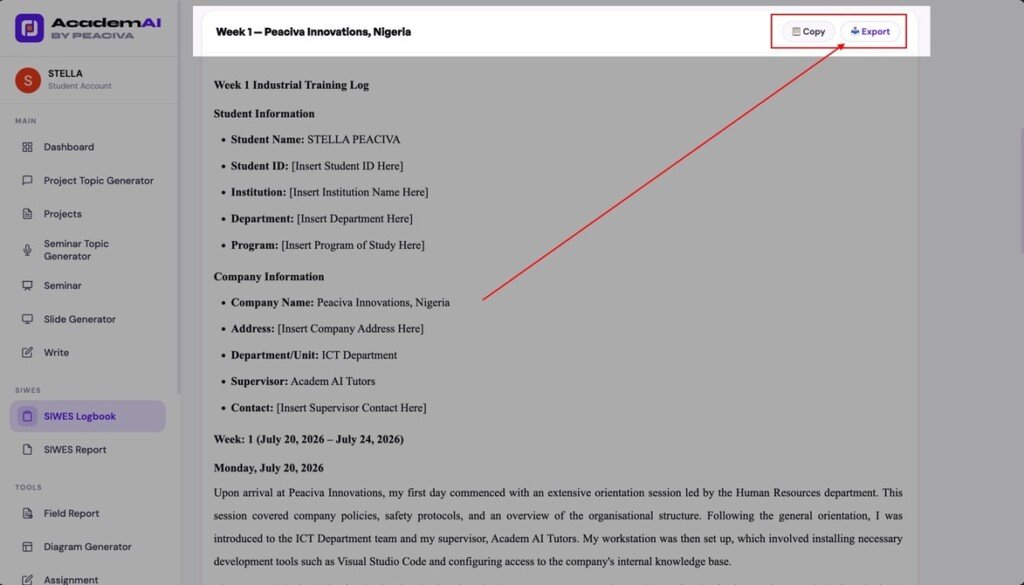
You can find all generated entries in the Saved Entries section. Click “View” to read individual daily entries or export your completed weekly logbook as a DOCX document.
Each generated entry is divided into four sections:
- Daily activities performed
- Summary of activities
- Challenges encountered
- Solutions applied
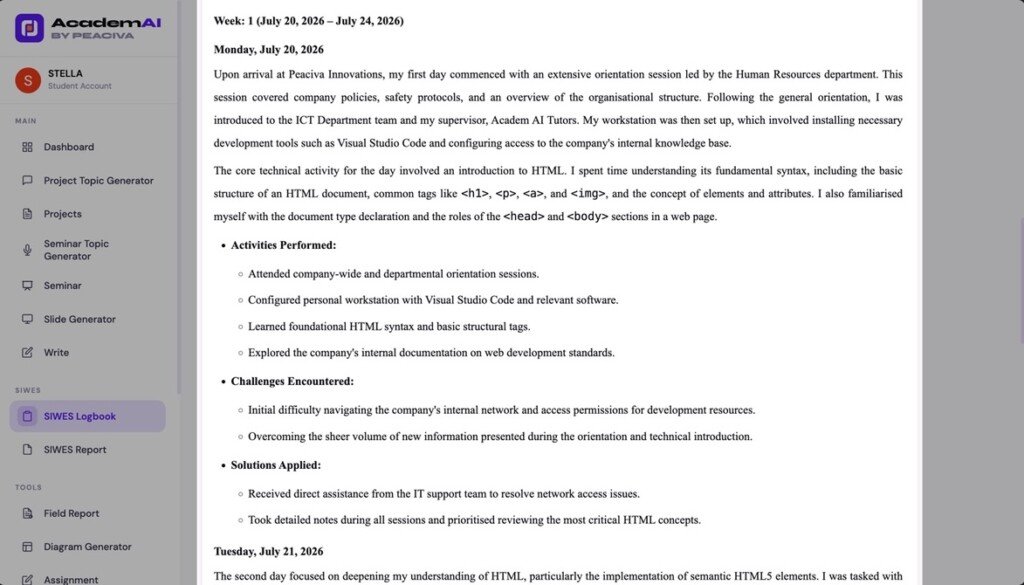
By default, the generator creates unique, task-specific logbook entries based on the information you provide. However, including additional details, such as the equipment, software, or tools you used during your industrial training, can significantly improve the relevance and quality of the output.
#5 Export Your Weekly SIWES Logbook Entries
Once your entries have been generated, you can review them directly from your dashboard and transfer them into your physical SIWES logbook at your own pace.
If you prefer offline access, you can export your completed weekly entries as a DOCX document.
To export your logbook, click the “Export” button in the top-right corner of your report or select the export icon from the Saved Entries section.
Your download will begin automatically.
Important Pointers and Quick Recap
- Every new user receives 10 free credits to generate SIWES logbook entries.
- Generating one week of entries costs 3 credits.
- The AI-powered logbook generator creates unique entries for students across all departments and disciplines, including Science Laboratory Technology, Engineering, Computer Science, Business Administration, Accounting, and many more.
- Providing more detailed information about your industrial training produces more accurate and comprehensive logbook entries.
- Generated entries can be exported as DOCX files for offline access.
- There are no limits to the number of SIWES logbook entries you can generate.
Final Thoughts on Filling Your SIWES Logbook Using a Free SIWES Logbook Generator
Your SIWES logbook is meant to document your industrial training journey, not become another source of stress. Yet many students find themselves trying to remember weeks’ worth of activities to fill blank pages before submission.
That’s where Academ AI by Peaciva comes in. Our AI-powered SIWES logbook generator helps you create detailed, personalised logbook entries based on your industrial training experience, saving you time while ensuring each entry is relevant, structured, and tailored to your daily activities.
Whether you’re studying Engineering, Computer Science, Accounting, Business Administration, Science Laboratory Technology, or any other discipline, the AI logbook generator adapts to your course, department, institution, and training experience to generate realistic daily logbook entries.
Create your free Academ AI account today, describe your SIWES experience, and generate complete weekly SIWES logbook entries in minutes. Every new user receives 10 free credits to get started, so you can spend less time filling your logbook and more time focusing on what you learned throughout your industrial training.
Going for SIWES? Don’t write the report from scratch.
Generate a complete SIWES/IT logbook report tailored to your company, department, and training period. Properly formatted and ready to submit.
Generate SIWES Report →